A practice website that takes bookings. Ready in minutes.
Clients ask for a free consultation and you confirm it. Intake forms, payments and video sessions come with it.
Start on yourname.tranqbay.care straight away, and add your own address, like yourname.com, any time.
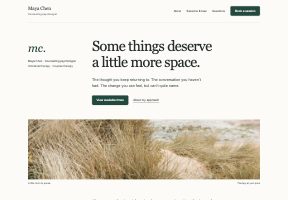
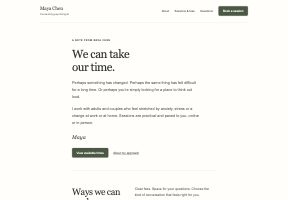
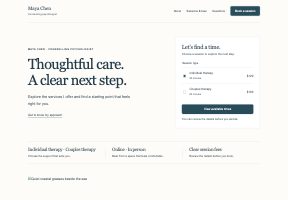

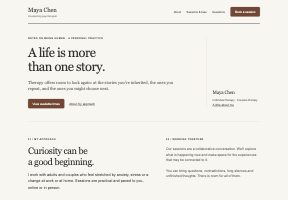
Animation: Maya Chen publishes her practice website and opens it at mayachentherapy.com. A new client clicks Book a free consultation, picks Thursday 15 October at 11:30 am for a free 15 minute consultation, chooses Stress and Sleep, answers Maya's two questions and sends the request and sees Request sent. In her TranqBay dashboard Maya reviews the request and accepts it, and the client sees Consultation confirmed. Sites start at yourname.tranqbay.care and run on the therapist's own domain.
What do you want to do first?
Start with one. Add the rest whenever you like.
A website for my practice
At yourname.tranqbay.care, or your own address, like yourname.com.
Build my websiteA link clients book through
For your email, texts and profiles.
Get my booking linkBooking on my own website
For WordPress, Squarespace, Wix and more.
Add booking to my siteLess time on admin
Drafted notes, reminders, payments and your calendar in one place.
Set up my admin
Edit your site in plain words.
Start from a template made for therapy practices. To change it, describe what you want, like a short section on how you work with anxiety. You see a preview first, then apply it or discard it. Every change saves as you go.
Animation: in the TranqBay website editor, Maya Chen types “Add a short section about how I work with anxiety”, sees a design preview of a new My approachsection, applies it, and the change saves.
Templates made for therapy
Eleven designs, from The Editorial to Quiet Letter. Start from the one that fits you.
Preview before you apply
Describe a change and see a preview of it on your page. Apply it, or discard it.
Your own domain
Use a domain you own, or start at yourname.tranqbay.care.
Regular sessions, without the scheduling emails.
After the consultation, clients book each next session on your booking page, at times you’ve opened, and pay as they book. It lands straight in your calendar, reminders go out before every session, and clients can’t book times when you’re busy in your Google Calendar.
New booking, just now
Priya S.Individual therapy, session 5
Tue 13 Oct, 16:00 to 16:50A time you opened
Paid $120When she booked
Reminders onFor you and Priya, before the session
Booking ManagementBooking preferences
Confirm each booking yourself
Accept or decline each booking before it’s confirmed.New clients book a consultation first
New clients request a consultation you confirm. Returning clients book straight away.Times you open
Set your hours, services and fees. Clients only see the times you’ve opened.
Google Calendar
Clients can’t book times when you’re busy in your calendar.
Automatic reminders
For you and your clients, before every session.
Bring the clients you already see.
Invite clients by email or import your list, then share your booking link. Clients you bring stay yours, and they book and pay you there.
- Invite by email. They set up their own login to book, reschedule and see receipts.
- Import your list. Add clients one at a time, or import them in bulk from a spreadsheet.
- Share your booking link. In your email signature, on social profiles or on the site you have.
Sessions and notes, without the extra apps.
Every booking comes with its own video room, and your notes live next to the session they belong to.
Run sessions without sending Zoom links.
Your client joins from their browser with nothing to install. Calls are end-to-end encrypted.
- Camera and mic check before you join
- Screen sharing and background blur
Animation: a video session at mayachentherapy.com/session. The call shows it is encrypted, so only the therapist and Sofia M. can see or hear it. The therapist starts note taking, confirms that the client will be notified, and a banner tells everyone TranqBay Scribe is taking notes. She then turns on live captions and their conversation appears as text.
Behind on notes? Not this week.
Turn on AI notes and a draft is ready soon after the session. Read it, edit it, and keep the final word. Switch it off for any session.
- On or off, per session
- SOAP, DAP, BIRP and GIRP templates on every paid plan
Animation: after Sofia M.'s session on Thursday 15 October, an AI draft of the DAP note appears, ready to check. The therapist presses Edit, changes the next session to Thursday 29 October and saves the note.
From sign-up to your first consultation.
No developer and no separate booking tool. Setting up is mostly telling us how you already work, and your website fills in as you go.
- 1Create your account
Sign up with Google or your email.
- 2Add your details
Your photo, services and what you help with. Your website takes shape as you type.
- 3Set prices and confirmations
Price each service, offer a free consultation, and confirm each new client yourself.
- 4Publish and share
Go live at yourname.tranqbay.care, and add your own address, like yourname.com, any time.
Safe, secure and private.
How sessions and records are protected, on every plan.
End-to-end encrypted video
Video calls are encrypted from end to end, in the browser.
Secure client accounts
Clients sign in to book, reschedule and see receipts.
You control AI notes
They only run when you turn them on, and you check every draft.
People you can reach
Email [email protected] and a person on our team replies.
TranqBay has really supported me in my work by making the behind-the-scenes parts of my practice so much smoother. With less to worry about logistically, I can be more present with my clients and focus on the work that actually matters. The platform feels safe, professional, and thoughtfully designed, which really aligns with how I try to hold space in my sessions.
Put your practice online, under your own name.
Your website, your booking page, your fees. We handle the bookings, payments and paperwork behind them.
Already with TranqBay? Log in